
How to Modify Your Truck in Truckers of Europe 3
In the game, you can fully modify your truck so that it matches your driving style. If you haven’t purchased your first truck yet, check out our complete guide on how to purchase your first truck In this article, we will tell you where to find the modification settings, how to customize step by step, and what options are available that can make your truck even more beautiful.
Truck Modification Options and Settings
Truck Customization for New Profiles
There are 2 types of settings to modify your truck. First, after creating your profile, when you click on the “Drive” icon, the screen to purchase a truck appears in front of you. Along with it, the “Customize” option is also available, from where you can easily modify your truck.
Customizing Already Purchased Trucks
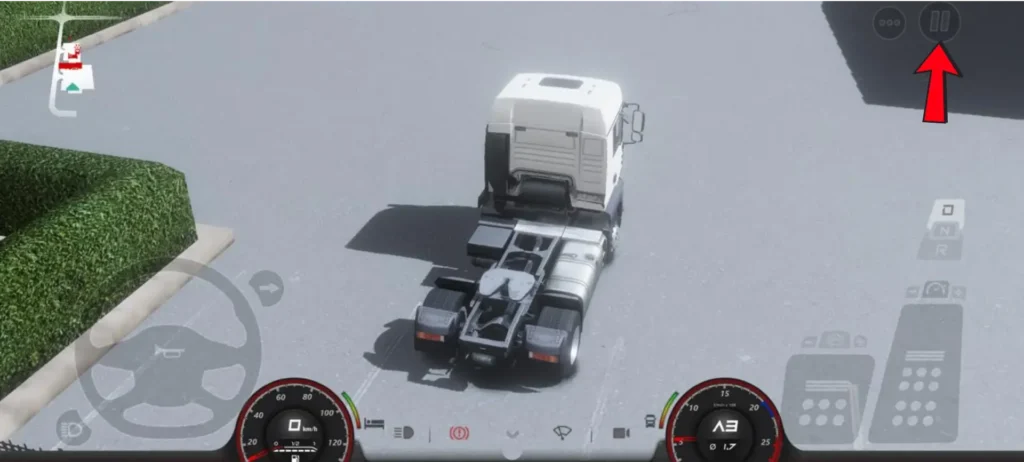
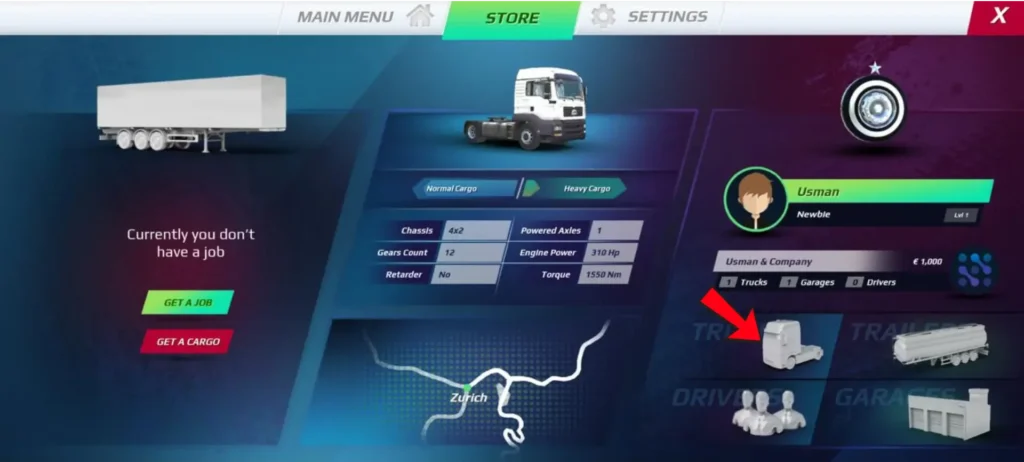
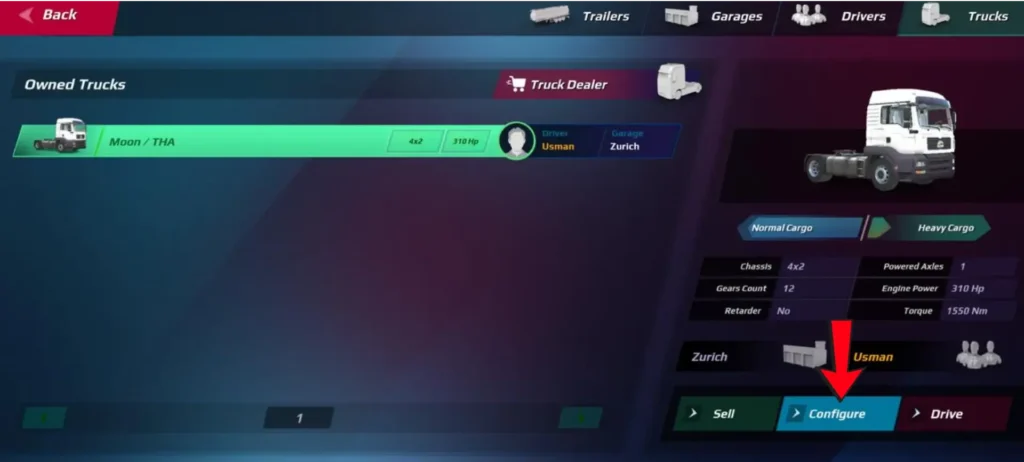
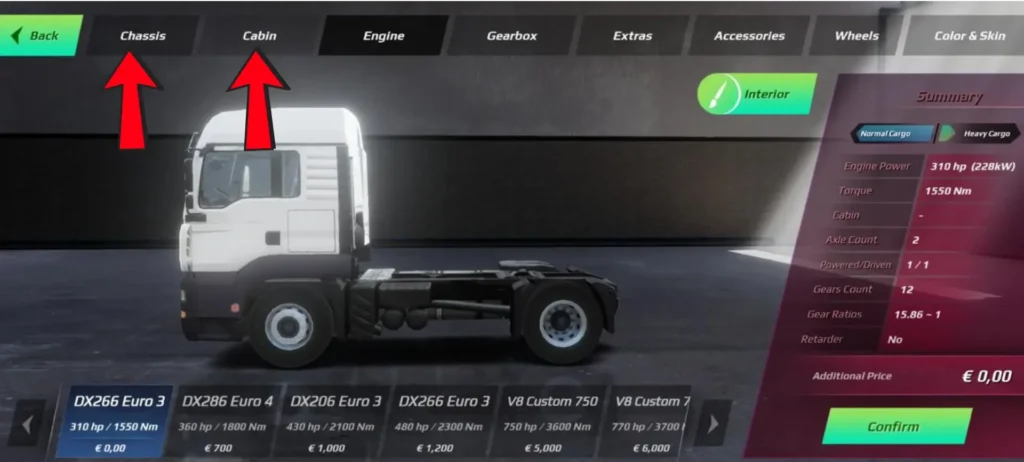
If someone has already purchased a truck, it will appear on the main garage screen of the game. From there, you can go to the modification settings of your purchased truck. On the top right side of the screen, there is an icon with 3 dots; clicking it will show the truck, garages and drivers on the screen. You need to click on truck, then the Configure option will appear. By clicking on it, you will directly reach the truck modification screen. The images given below will make these steps even easier to understand. Below, you will find the complete list of truck modification options.
How to Personalize Your Truck
Let’s see what you can customize in the modification.
Conclusion
Customizing your truck is simple and enjoyable. Whether you’re setting up a new profile or modifying a truck you already own, all the options are easy to access. From chassis and cabin upgrades to engines, accessories, wheels, and skins, you can shape your truck exactly the way you like. Try different combinations and build a truck that matches your driving style and delivers the look and performance you want.
You can find all truck settings and helpful information in one place on our all gameplay guides page.